Frequently Asked Questions
Follow the instructions below to download your ticket and find your Transaction ID.
- Open the official ticket download page.
- Enter your successful payment Transaction ID (TXN ID).
- Click on Get Ticket.
- Your ticket will be downloaded automatically.
Your Transaction ID can be found in:
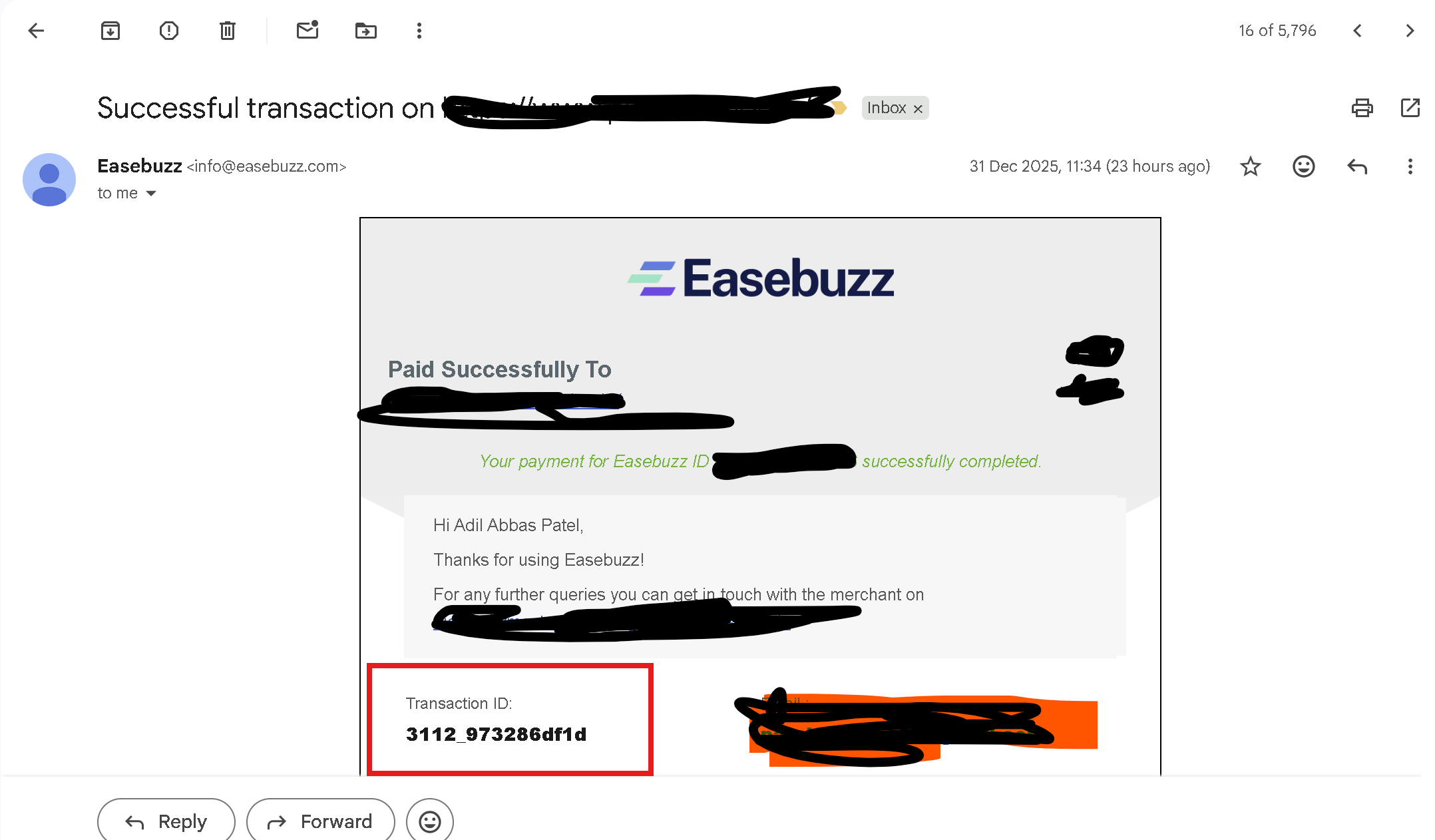
- Payment confirmation email sent by Easebuzz
- System-generated confirmation email sent after successful payment
The TXN ID is usually a combination of letters and numbers.
If your payment was successful but the ticket is not available:
- Wait for 5–10 minutes and try again.
- Ensure the correct Transaction ID (TXN ID) is entered.
- Make sure you entered the correct email ID at the time of payment.
- Check your email spam/junk folder.
- Contact support with your successful payment proof.
Yes, you can download your ticket multiple times using the same
Transaction ID.